4.4 Generating reports from the Family Tree diagram
We have now created a graphical language to model family trees
and have been able to draw our first Family Tree diagram with it. Is there
anything else we can do?
In many cases it would be very desirable to be able to
produce various outputs of the information stored in a Family Tree diagram, e.g.
as web pages, who’s who entries, etc. This can be done with
MetaEdit+’s report generator. As an example, let’s generate a web
page from our Family Tree diagram.
Select
Graph | Generate... from the menu bar of the
Diagram Editor containing our ‘Simpson’ Family Tree diagram (or
press the
Generate button in the Diagram Editor’s action toolbar).
A list of the available pre-defined reports will appear. Choose ‘Export
graph to HTML’ from the list (as in
Figure 4-8) and press
OK.
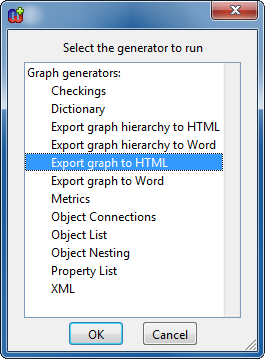
Figure 4-8. Default generators
MetaEdit+ now produces the
HTML output, reports the success of the generation and opens the generated web
page in your default browser (
Figure
4-9).
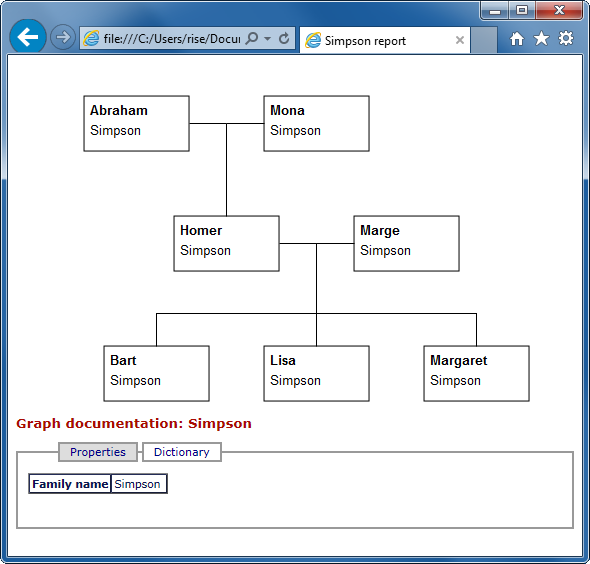
Figure 4-9. The results of the HTML generation
You can
click the individual objects in the diagram in the browser to see their
properties, relationships and subgraphs (if
any).


