The
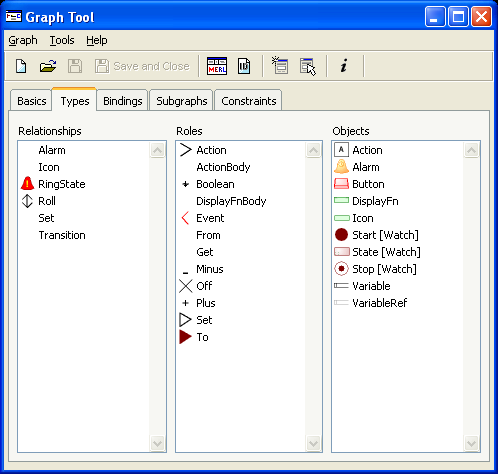
Types tab is used to select the Object,
Relationship and Role types of the modeling language. The Types tab has three
lists (see
Figure 2–7),
Relationship, Role and Object lists, each containing items of that type in this
graph type. Each list has a menu, which allows you to
Add... a new type
or
Delete the selected type from the graph type. You can also open the
appropriate tool for the selected type by double clicking the type, or by
selecting
Edit Type from the pop-up menu. To open Symbol Editor for the
selected type, hold down the
Shift key and double click the type, or
select
Edit Symbol from the pop-up menu.
Figure 2–7. Defining components of the graph.
The
types specified here have two functions: firstly, they determine what types are
visible in the Types menu and Toolbar of editors. Secondly, while the Types tab
allows you to add any type from any open project, in the Bindings tab (described
in Section
2.5.4 below), you can add
only those types selected in the Types tab, plus their ancestors. This makes the
selection dialogs shorter, making defining bindings, constraints, decompositions
and explosions easier.