Up Previous Next Title Page Index Contents

3.3.4 Text Editor

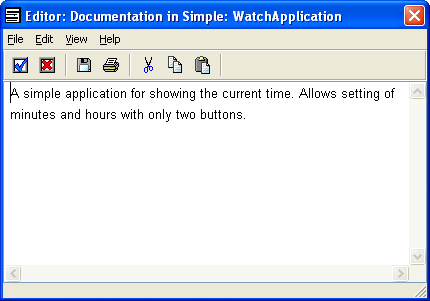
MetaEdit+ provides a built-in text editor for editing long text property values. The Text Editor includes basic text processing functions in the Edit menu and in the pop-up menu of the editing area. These functions include find, replace, cut, copy and paste and undo. Shortcut keys are provided for the most frequently used functions, and for setting fonts. Furthermore, you can save and retrieve text in the editor from external files and print the text through the functions in the file menu.

Figure 3-40. Text Editor.

You may also use an external text editor program, configurable on the Paths page of the Options Tool (see Sections 3.1.1 and 3.1.3 for details).

Shortcut keys for editing include the following, which also work in other text fields in MetaEdit+:
 Ctrl+X
 Cut
 Ctrl+C
 Copy
 Ctrl+V
 Paste
 Ctrl+A
 Select All
 Ctrl+F
 Find
 F3
 Find Next
 Ctrl+R
 Replace
 Ctrl+Shift+R
 Repeat replace
 Ctrl+W
 Delete word backwards
 Ctrl+D
 Insert current date
Shortcut keys for setting fonts include:
 Esc s
 Serif
 Esc S
 Sans Serif
 Esc b
 Bold
 Esc B
 Not bold
 Esc i
 Italic
 Esc I
 Not italic
 Esc u
 Underlined
 Esc U
 Not underlined
 Esc +
 Larger size
 Esc –
 Normal size
 Esc x
 Remove all formatting


Up Previous Next Title Page Index Contents