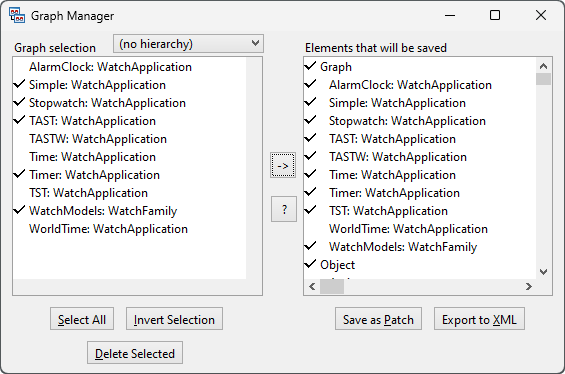
Figure 8–1. The Graph Manager.
| 2) | In
the Graph Manager, select the graphs you want to export from the list on the
left. You can select them individually or by using the Select All or
Invert Selection
button. |
| 3) | When
you have selected the graphs to be exported, press the arrow button in the
middle of the window to see which elements are to be
exported. |
| 4) | Press
the Export to XML button at the bottom of the window. You will be then
prompted for the name of the XML file to which the data is to be exported. The
extension for the exported XML file will be
.mxm, for MetaEdit+ XML
Models. |
| 5) | Once
the XML file has been written, MetaEdit+ will show a dialog reporting the
success of the operation. Close this
dialog. |