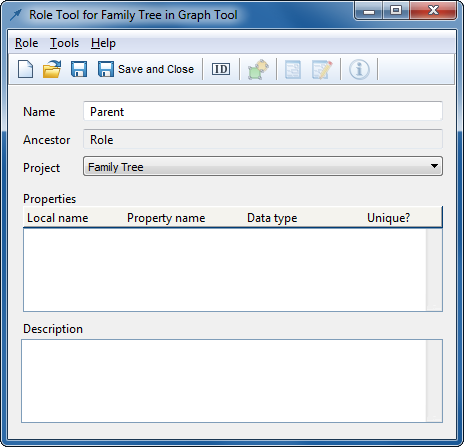
Next we must define the roles we need. Start creating a new
Role type: on the Graph Tool’s
Types page, move the cursor into the
Roles list, press the right mouse button, and select
Add New...
from the popup menu to open a new Role Tool. The roles for our
Family
relationship are easy to create, as they do not require any properties or
symbols. So, to create a
Parent role, just enter ‘Parent’ in
the top-most field (
Figure 3-17) and
press
Save.
Figure 3-17. Role Tool.
We can keep this Role Tool open to
create and add the
Child role in the same way. We just need to tell it
that we are creating a new type, rather than changing the name of the existing
type: press the
New button in the Role Tool toolbar or select
Role |
New from the menu bar. Then enter ‘Child’ in the Name field and
press
Save and Close. This is also a good time to commit our work
again.