Up Previous Next Title Page Contents

3.4 Saving your work

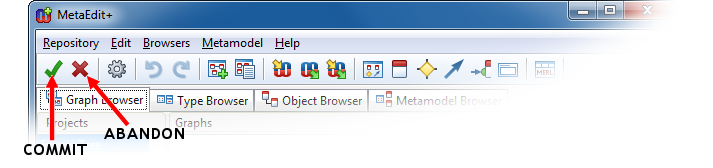
As we have now defined a significant part of our domain concepts, it is a good time to save our work. Go back to the MetaEdit+ launcher. There you can find Commit and Abandon buttons (as shown in Figure 3-14).

Figure 3-14. Commit and Abandon buttons in the MetaEdit+ launcher.

Pressing the Commit button saves the changes made into the repository, while pressing Abandon restores the state saved by the previous commit. Press Commit and wait for the operation to complete.

Up Previous Next Title Page Contents