Apart from ellipses, the ellipse shape is also used for
circles, arcs and wedges.
Setting line, fill, location and size
properties of an ellipse is the same as for a rectangle, so please see Section
3.2.1 for more information.
It is possible to make an ellipse into an arc or wedge by
adjusting its start and stop angles. There are two ways to do this. The first
way is to drag the yellow handles that appear to the right of the ellipse when
it is selected (they are initially on top of each other, as a full ellipse
starts and stops at the same point). Moving them around the perimeter of the
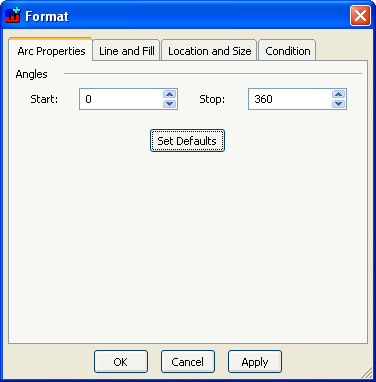
ellipse will change the start and stop angles. The other way is to open the
Format Dialog and change the values in the
Arc
properties tab (
Figure 3–11). Enter new values in
the
Start and
Stop fields or use the spin buttons. Please note
that angle values are presented as degrees, so the proper values are between 0
and 360. 0 degrees is to the right, and the ellipse is drawn anti-clockwise from
the start to the stop angle.
Figure 3–11. Arc properties.