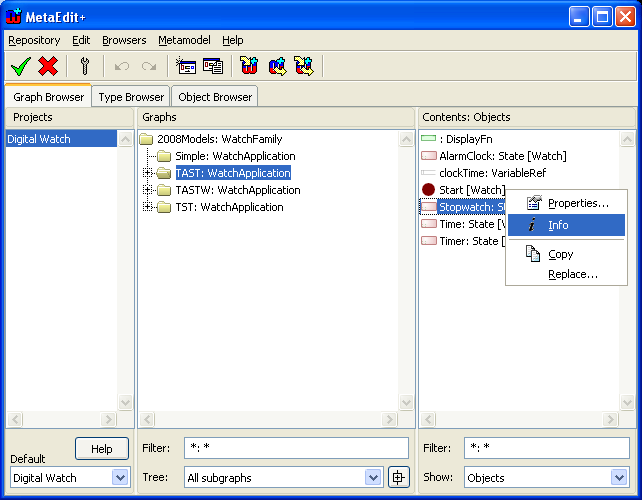
| 1) | In the Graph Browser, select ‘TAST’ from the Graphs list and then ‘Stopwatch’ from the Contents list (as in Figure 1-6). |
| 2) | Open the context menu for ‘Stopwatch’ by clicking the right mouse button. |
| 3) | Select Info... from the menu. |
Figure 1-6. Opening Info Tool for ‘Stopwatch’.
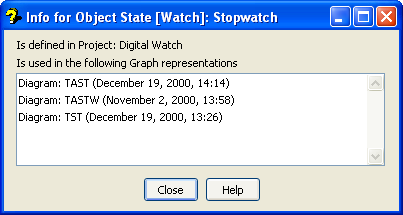
Figure 1-7. Info Tool for ‘Stopwatch’.
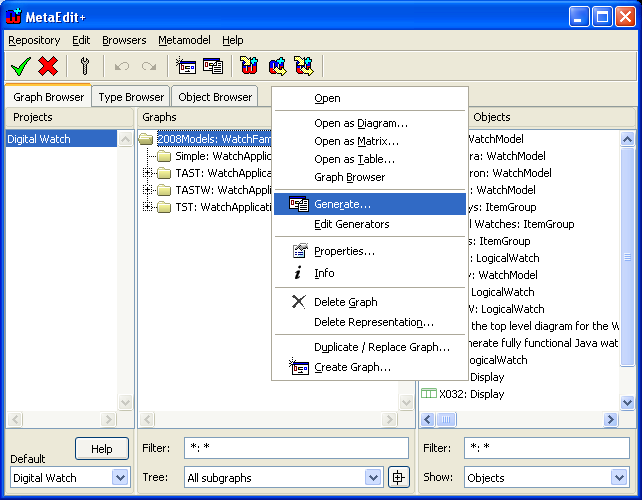
| 1) | Select ‘2008Models’ from the Graph Browser’s Graphs list. |
| 2) | Open the context menu for ‘2008Models’ by pressing the right mouse button. |
| 3) | Select Generate... from the menu (as in Figure 1-8) to open the Generator. |
| Alternatively you can start the Generator by pressing the Generate button from the toolbar in the Main Launcher. |
Figure 1-8. Opening the Generator.
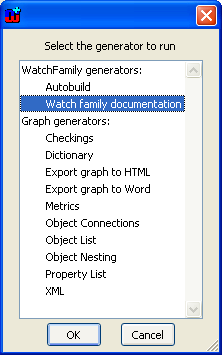
| 4) | A dialog opens, showing a list of possible generators to run. Choose ‘Watch family documentation’ from the list (as in Figure 1-9) and press OK. |
Figure 1-9. Generating HTML documentation for Watch example.