
Checklist for importing the UML-patch
The patch links below are direct links to the .pat files in the binary form. Download the patch by selecting 'Save to file' in your browser: do not attempt to view as HTML pages! Check the size afterwards: some browsers appear to download these as ASCII files, when they are in fact binary files.
Save the UML 1.0 patch file (size 250117) supplied by MetaCase Consulting somewhere on your local hard disk (below we use the example directory 'c:\meplus').
1. Backup the target repository
2. Check that your current MetaEdit+ image has all mandatory patches installed (both
'me970321.pat' and 'me971014.pat' patches).
(You can check installed patches from the MetaEdit+ Startup Launcher: Press first the down arrow button at the bottom right, and then 'File in Patches' button. As a result, "File List" browser and "MetaEdit+ Help" window will open. "MetaEdit+ Help" window shows all the patch files installed. These patch files can be downloaded from the patches page and instructions for the filing in-operation from here.)
3. Login to the target repository as system administrator.
4. Open the projects 'mcc' and 'UML'
5. Select 'UML' as the default project
6. Make sure that no editors (Diagram, Matrix, or Table Editor) are open
7. From the Main Launcher, press the 'Special'-button, select 'Repository' page and
press the 'File in patches'-button
8. Click the top panel and write the path of patch file directory followed by *.pat,
(e.g. c:\meplus\*.pat) (Figure 1).
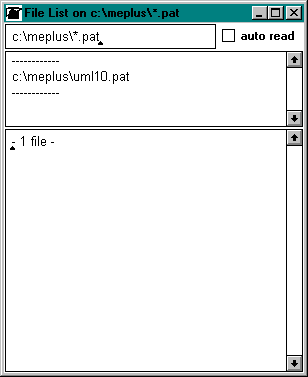
Figure 1. File List browser Window.
9. The middle field should now list all patch files.
10. To load a patch, choose from the list and choose 'file in' from the pop-up menu.
11. After fill in-operation close the "File list" window
12. Check the existing models before committing.